Skip to content
00:00Talking-head videos

Talk to the camera. Skip the editing.

For founders, coaches, teachers and course creators. Record your take, mistakes and all. Studio hands back a finished video with captions, cards and short clips.
  • 30 free minutes
  • No card needed
  • Changes are free
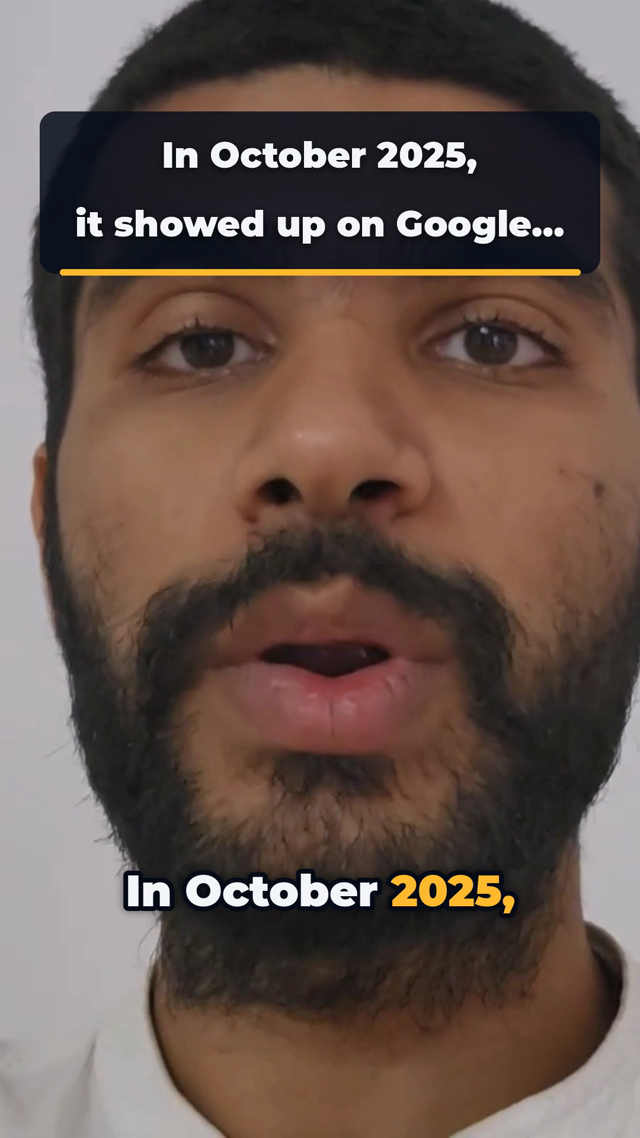
A finished talking-head frame: the line as a title card and the spoken words as captions
A frame from a finished edit, and the takes of the line on it
00:10What you get back

Everything a talking-head edit needs, done for you.

Only your best takes

Start a line again as often as you like. Retakes, ums and long pauses come out.

Punch-ins on one camera

Closer shots on the lines that matter, so one webcam or phone never feels flat.

Captions and cards

Captions on every word. Numbers and lists you say appear as cards on screen.

Clips for social

Vertical clips for Reels, Shorts and TikTok, cut from the same recording.

00:20Who it's for

Made for people who talk to camera.

You know your subject. You don't need to learn a timeline to share it.

Founders

You record
Product updates, launch videos and the weekly note to customers.
You get
Cards for the numbers you mention, and clips to share.

Coaches

You record
Tips, answers to client questions and short lessons.
You get
A set of Reels and Shorts from every longer video.

Teachers

You record
Lessons and explainers students can watch again.
You get
Captions on every word, and steps drawn as cards.

Course creators

You record
Course lessons, welcome videos and bonus modules.
You get
Your brand color on every lesson and your logo on the end card, so the course looks like one set.
00:30When you record

Use the camera you have. Talk the way you talk.

A phone, a webcam or a camera all work. These 3 habits help the edit most.

  1. Keep rolling when you slipPause, then start the line again. Studio keeps the last full take.
  2. Look at the lensPut your notes just under the camera, so your eyes stay close to it.
  3. Paste your script if you have oneIt helps Studio spell names and terms right in the captions.
First page of the recording checklist
PDF and Word · 3 pages

Podcast and video recording checklist

Check the room, framing, microphone and first take before you record the whole session.

Get the free checklist
00:40Questions

Before you hit record

Something else on your mind? Ask us and a person will answer.

Do I need a script?

No. Talk the way you normally do. If you have a script or notes, paste them when you upload so names come out right in the captions.

Can I record on my phone?

Yes. Phone, webcam and camera recordings all work, as MP4, MOV or WebM. Free uploads can be up to 2 GB.

What if I mess up a line?

Pause and say it again. Studio cuts the false start and keeps the last full take. If you liked an earlier take better, ask for it in the video's chat.

Can I get a vertical video?

Yes. Choose 9:16 when you set up, or pick both: a wide video plus vertical clips from it.

What does it cost?

One minute of recording uses one minute. You get 30 free minutes once. Creator is $10 a month for 5 hours of recording. Changes and clips cost nothing extra. See every plan.

00:50Other kinds of video

Record something else? Pick the closest.

Every project type you can pick. It tells Studio how to read each recording, like one speaker or two.

  • Talking head (one person to camera)
  • Podcast, interview, two people talking
  • Reels and shorts
  • Screen recording, software walkthrough
  • Travel vlog
  • Educational, explainer
  • FAQ, questions and answers
  • News, commentary, tech news
  • Product review
  • Live session, webinar
  • Something else